The brain that acts on your CRM.
Oracle is your company's virtual COO: a single AI agentthat can read and act on your entire CRM, understand your files, respect every employee's permissions — and always let you confirm or cancel. All the power of a smart assistant that gets the job done, without the risk of a robot going rogue.
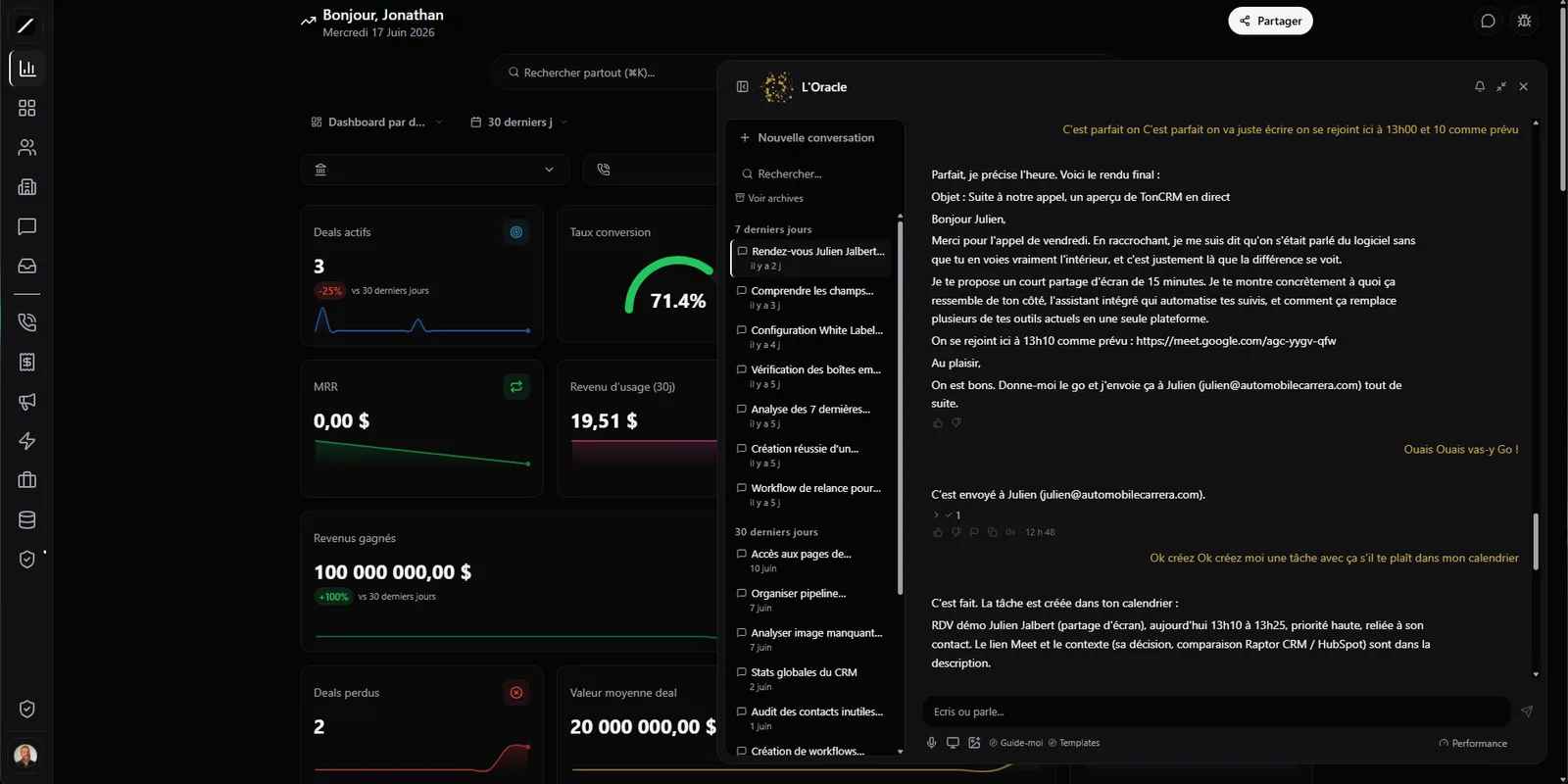
Your entire CRM, driven by a single brain.
Most “smart assistants” are chatbots with a couple dozen fixed actions. Oracle is something else. It discovers and can trigger nearly 1900 functions of your CRM — in other words, just about everything your CRM can do. Its action surface isn't a short list a programmer decided in advance: it's your whole system.
Instead of learning where to click across forty menus, you describe what you want in words. Oracle turns your sentence into concrete actions in your CRM. The software stops being something you operate and becomes something you talk to.
Give it a PDF, an Excel, a photo — it understands.
Oracle doesn't just read your database — it reads your files. You drop in a supplier quote as a PDF, an Excel of leads, a photo of a receipt, a Word document, a PowerPoint deck, a CSV, an HTML page or even a video, and it understands what's inside. Images are read by text recognition (in French and English), and it sees the visual content directly.
All of this happens in-house, with no third-party tool fees. Instead of retyping a quote by hand so Oracle can “understand” it, you toss it the file and it works with it. One honest exception: audio transcription isn't offered yet.
It sees exactly what your employee sees.
Here's something almost no smart assistant gets right, and it's crucial for the security of your data. Oracle never reads with a master key. When an employee uses it, Oracle borrows their exact permissions — it sees precisely what that employee sees on screen, no more, no less.
The kind of bug where the AI shows you “255 contacts” when you have 271 — or worse, shows you things you're not allowed to see — becomes structurally impossible. Plenty of competing assistants read by bypassing permissions. Not Oracle.
It knows the CRM you built.
You shaped your CRM around your business: maybe you created “Purchase offers”, “Inspections”, “Roofing quotes” — object types that exist only at your shop. Oracle knows them. It loads your organization's custom objects, fields and statuses, not just the base entities.
You can ask it “list my unbilled inspections” and it knows what you mean, because it speaks YOUR company's language. And if it runs into a field it doesn't know, it corrects itself instead of crashing.
It acts — but you confirm, and you can undo.
Every action Oracle wants to take is classified in real time by its risk, with a color code. The goal: a confirmation that's proportional to the risk. Oracle won't bug you over a harmless read, but it stops cold and shows you everything before an action that touches a lot of people.
Its writes are reversible: if it just changed fifty records and you change your mind, you roll it back in one move. You're never one wrong word away from a mess — you stay in control from start to finish.
Most competing assistants give you a plain yes/no, with no safety net and no undo: once it's gone, it's gone.
It doesn't make up numbers.
A smart assistant that confidently makes up a number is worse than useless — it's dangerous. Oracle is built not to do that. Before it sends you a revenue figure, it requires a real read of your CRM to back it up. No read to confirm it? It retries internally, and otherwise it caps its confidence instead of serving you a mirage answer.
And when it quotes something, it's the source word for word, not a paraphrase that drifts. Where many tools lower their confidence after the fact — while the false answer is already out — Oracle checks before it opens its mouth.
If Oracle gives you a number, it's because it actually read it in your data — not because it sounded right.
It remembers — and you can read its memory.
Oracle remembers from one conversation to the next, and over the long term. Its memory has two parts: notes you can read and edit yourself, and facts it remembers to stay relevant.
The key point: its memory is not a black box. You can review it, correct it, or tell it to forget something. You know what it knows about your business, and you have the last word on it.
It warns you before things go off the rails.
Oracle doesn't wait for you to ask. Three times a day, it gives you a briefing: in the morning on your leads and tasks, at noon on your pipeline and forecasts, in the afternoon a recap and prep for the next day.
And it watches in real time. If a client writes something like “I think I'm going to stick with Odoo”, Oracle catches the churn signal, alerts the owner by text, and takes an extra-careful tone in the conversation. That's exactly the moment when most businesses lose a client without noticing. Oracle catches it while there's still time to act — and it can schedule an action for later.
Choose its power — pay for what's resolved.
Oracle comes in tiers, from the fastest and most economical to the most powerful, that you pick for your organization. It's billed by usage, with a monthly budget cap you control — no surprises on your bill. And you pay only when Oracle actually resolves something: if it escalates a case to a human because it's not sure, it costs you nothing. You pay for results, not for attempts.
Powerful, but deployable without risk.
That much power calls for solid guardrails — and Oracle has a whole stack of them. That stack is what makes it deployable in a real business without playing roulette.
Everywhere your team works.
Oracle meets you where you are, without changing your habits. One brain, present on all your text-based work channels.
In Québec French, and honest about its limits.
Oracle speaks natural Québec French, not a stiff translation. It quotes its sources word for word, and above all, it tells you when it's not sureinstead of bluffing. It's an ultra-powerful assistant that stays in its place: it acts with your permission, it aligns with your interest, and it admits what it doesn't know.
Oracle, in brief.
Everything about Oracle.
Let the brain run your CRM.
14 days free, no card. Or book a demo and we'll show you Oracle on your real data.
