The safeguard that keeps you from getting blocked.
The real danger of mass sending: if too many of your messages bounce or get flagged as spam, the email providers block you — and getting unblocked is long and painful. Your emails, even your invoices, stop arriving.
toncrm watches this and acts before it happens. If your permanent bounces go over 5% or your complaints over 0.5% over 30 days, the system automatically suspends your sends while you fix the problem. And if your bounces spike, the person in charge gets an SMS within minutes.
Compliant with the anti-spam law — with the B2B exemption.
Canada's anti-spam law governs your sends, and toncrm requires consent before sending. But it also codes the B2B exemption the law provides: in eligible business cases, you reach your professional contacts without getting blocked by your own tool. You stay compliant without it stopping you from doing legitimate business. No English-language SMB CRM codes this exemption as finely.
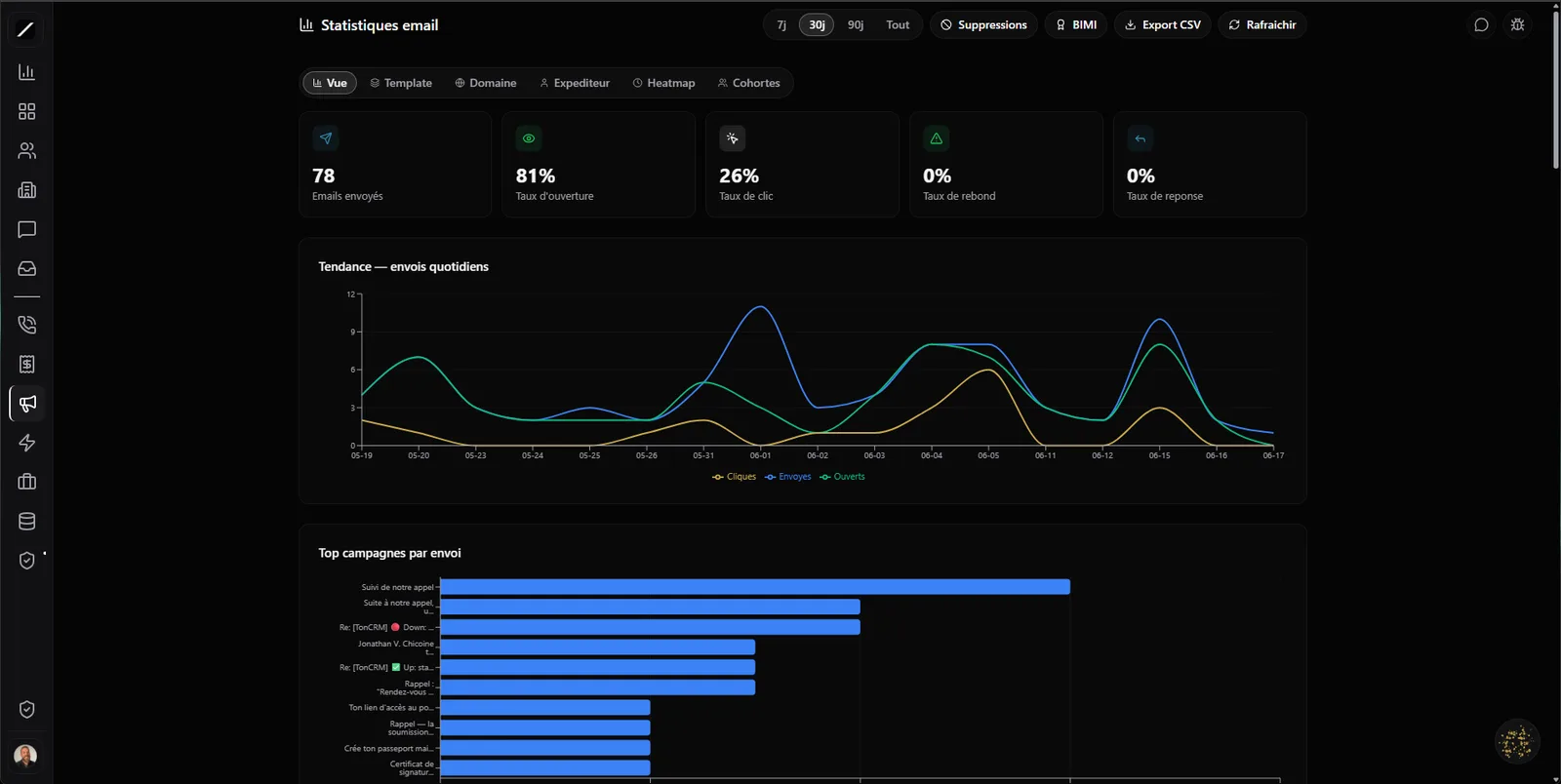
Seven metrics, several ways to slice them.
Over 7, 30 or 90 days — and you slice them by campaign, by template, by domain or by sender. toncrm also tells a permanent bounce (dead address, to remove) from a temporary bounce (full inbox, to retry). You clean your list on real information.
Send at the right time.
A day-by-hour heatmap shows you when your people actually open your emails — and toncrm suggests your three best sending windows. You stop sending at 9 a.m. Monday out of habit and hit when the attention is there.
Test for real, not by eye.
Torn between two email subjects? Run an A/B test with a real 95% statistical test: you know if the winning version really wins, or if it's just luck on a small sample. No false conclusion drawn from 40 sends.
And the cohort analysis sorts your contacts from coldest to most engaged (« champion »), so you see at a glance who's really hooked and who's been ignoring you for months.
Every interaction feeds the contact's score.
Your emails automatically feed your contacts' scoring: an open adds points, a click adds more, a reply even more, and a bounce takes some away. Each contact ends up with an engagement score (0 to 100, from cold to champion), shown right on their record. Your hottest contacts rise on their own, without you having to guess.
And the details that matter.
Deliverability, in facts.
- 7 metrics (sent, delivered, opened, clicked, bounces, complaints, unsubscribes) over 7 / 30 / 90 days
- Auto safeguard: sends suspended if bounces > 5% or complaints > 0.5% (30 days)
- SMS alert to the manager on a bounce spike (within minutes)
- Anti-spam law compliance with a coded B2B exemption
- A/B testing with a 95% statistical test · heatmap of the best windows
- Engagement score per contact (0-100) · CSV export
Everything about email stats.
Protect your deliverability.
14 days free, no card. Or book a demo, we look at your stats with you.
We look at your stats with you in a 45-sec demo.
