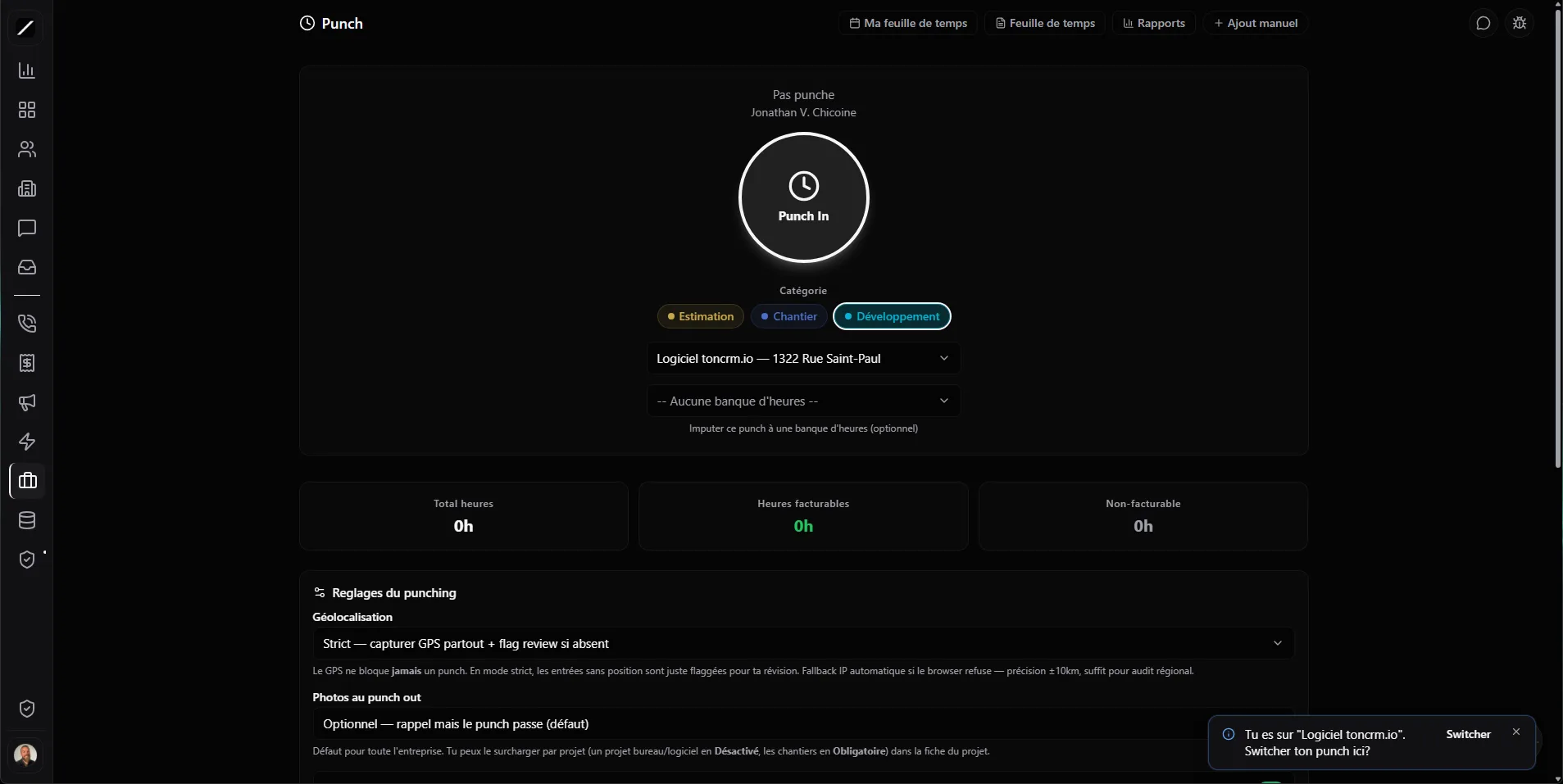
The button always works — even without signal.
On a real jobsite, you're often in a hole with no signal. Most punch apps refuse to punch you in until they've got a precise GPS — so your guy stands planted at the door while his phone hunts for satellites. toncrm refuses to do that to your crew: GPS is a bonus, never a barrier.
When a tech punches, toncrm tries GPS, falls back to an approximate location if GPS doesn't work, and if nothing works, the button punches you in anyway — every time. Location is logged when it's available, but it never blocks the punch. Your crew starts working without messing around.
The project, the rate, the geofence.
When a tech punches, toncrm confirms which project he's working on (or assigns it automatically), and it fetches the right hourly rate on its own — the one that flows from the deal to the project. No more wondering what rate to bill a given day: it's already sorted.
And if you've set a geofence around the jobsite, toncrm notices when your guy arrives. If he punches from outside the perimeter, he confirms with a reason — a delivery, an order to go pick up — instead of you wondering about it later.
Photo, selfie, break — and offline.
A punch-out can require a photo — disabled, optional, or required, set per company or per project — for a visual proof of the jobsite's state. And an optional punch selfie discourages « buddy-punching »: the photo is there, and a manager can review it. When the crew takes its break, toncrm tracks that too.
Quebec's labour standards, built in.
toncrm comes with 25 CCQ trades already set up — so you don't have to build your list from scratch. It's not a translated layer on top of an American tool: it's built for the rules you and your crew have to follow, so you start off on the right foot on compliance.
CNESST, RRQ, AE, RQAP — calculated.
From the approved hours, toncrm calculates the Quebec payroll contributions — CNESST, RRQ, AE, RQAP — with the right rates, exemptions and ceilings. Your hours arrive ready for payroll, instead of you doing them by hand or paying someone to recalculate them every week.
To be clear: toncrm calculates the contributions and the overtime, not the income tax withholding. Income tax withholding is handled by your payroll software when you export your hours. toncrm does the tricky Quebec bit and hands it to you ready-made. The boring, easy-to-get-wrong calculation, done once, properly.
Export to Nethris, ADP, Employeur D.
When the week's hours are approved, you export them directly to your payroll software: Nethris, ADP, Employeur D (Desjardins), QuickBooks, Wagepoint, Payworks, or a generic format. Just the approved hours, already tied to each employee by their employee number.
No more retyping hours from one system to another, or copy-pasting columns praying you don't grab the wrong row. The bridge between the jobsite and your payroll happens in one click — and since it's filtered to approved hours only, you pay exactly what was validated, not a minute more.
Approve, correct, compare.
Hours have to be approved before being billed or paid — you get a weekly approval to clear the whole week at once. And if a tech forgot to punch out, he files a correction request: he doesn't edit the history himself, he files a request and you keep control of what goes through.
Since toncrm has the real punches in-house, it compares what you had planned to what was actually punched. You close the loop between what you'd planned and what happened — and you adjust your next estimates.
Jobsite time tracking, in brief.
Everything about time tracking.
Give your crew a button that works.
14 days free, no card. Or book a demo and we'll set up your time tracking with you.
We'll set up your time tracking with you in a demo.
