Aller au contenu principal
FIG 0.0 · PROJECTS

17 tabs,one single jobsite.

The complete jobsite-management record, from quote to profitability: 17 tabs, one discussion thread per audience (your team, the client, the subcontractors, the suppliers), automatic on-site clock-in and progress billing. The power of construction software, right inside your CRM.

Free 14-day trial

No credit card required.

Bathroom reno — Bouchard
Renovation · 42% used
OverviewPhasesTeamTasksSchedulePhotosDocumentsQuotesPurchase ordersChange ordersBillingHoursExpensesProfitability+3
17 tabs · from quote to profitability
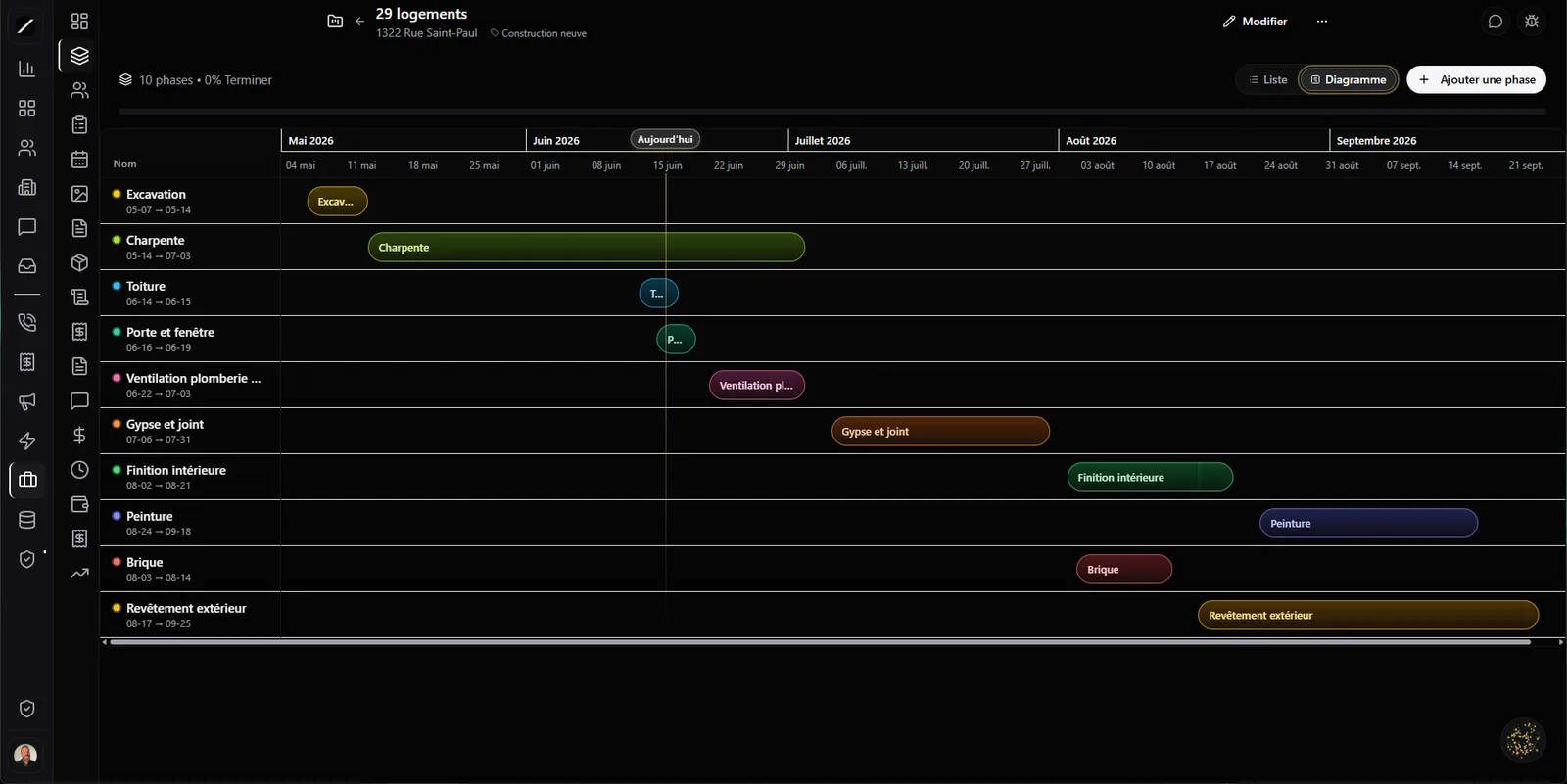
toncrm.io jobsite record: the project record with its tabs from quote to profitability, its phases and its team.
FIG 0.1 · STARTING POINT

From a won deal to a complete jobsite.

A project often starts from a won deal, then it becomes a record that pulls together everything about the jobsite: overview, phases, team, tasks, schedule, photos, documents, quotes, purchase orders, billing, hours, expenses, profitability — seventeen tabs. Instead of having your jobsite scattered across an Excel file, an email folder and photos on your phone, everything lives in one place.

And you set it up to fit your business: you pick the project type from your own list, you give your phases a color, you build your team, and you drop the jobsite address on a map. The record mirrors how YOUR company works, not a generic mold.

New construction
Renovation
Addition
Commercial-industrial
Landscaping
Other + your own
Jobsite address on a map · 6 Québec defaults + your own
FIG 0.2 · LOCAL MARKET

Québec jobsite vocabulary — not an American CRM translated.

Where an American CRM gives you generic « opportunities », toncrm speaks your trade: Quotes & Bids, Purchase orders, Change orders — native construction tabs, with the workflow that goes with them. And the warranty tracking is built in months, like the typical twelve-month Québec warranty: toncrm notes the start and the duration, and warns you before the warranty runs out.

Quotes & Bids
The native tab, with the jobsite workflow that goes with it.
Purchase orders
Your material orders, tracked in the record.
Change orders
Mid-job changes, documented.
Warranty tracking
In months (typically 12) — a heads-up before it ends.
FIG 0.3 · PERMISSIONS

Everyone sees what they need to see.

On a jobsite, not everyone needs to see everything. toncrm manages permissions tab by tab: a technician sees only the photos and the tasks, a project manager sees the whole record. And even your documents are split into categories — plans, quotes, invoices, contracts, before/after photos — each with its own access.

You give access to your team, a subcontractor or a client without laying everything bare: the right person sees the right information, no more, no less. No sensitive file lying around under the wrong eyes.

Technician
Photos · Tasks
Project manager
Full record
Client (private link)
Their thread + shared files
FIG 0.4 · COLLABORATION

Client, subcontractors, suppliers — each with their own thread.

A jobsite means people. toncrm gives each one their own discussion thread, separate, with the right level of access. The conversation with your client stays apart from the one with your plumber, which stays apart from the one with your supplier. And when you open a thread with a subcontractor, their contact gets tagged automatically in your CRM — one less thing to do by hand.

Your team
their thread
The client
their thread
The subcontractors
their thread
The suppliers
their thread
The consultants
their thread
It's the kind of multi-party collaboration that software like Buildertrend, Procore or JobTread charges a lot for, separate from your CRM. Here, it's built in. And out in the field, clock-in is automatic: when a technician arrives on the jobsite, they're clocked in on their own, without thinking about punching in.
Billing schedule
At signing35 %Paid
At midpoint40 %Paid
At completion25 %Upcoming
35/40/2550/50Custom
FIG 0.5 · MILESTONE BILLING

Progress billing — 35 / 40 / 25.

Construction doesn't get billed all at once at the end. toncrm lets you set a milestone billing schedule: the Québec classic 35% at signing, 40% at midpoint, 25% at completion — or 50/50, or your own split. Each milestone keeps track of when it was paid and how.

You set your percentages, then you bill each stage when you decide it's time — the way your trade actually bills, not the way a generic tool would want you to bill.

FIG 0.6 · PROFITABILITY

The profitability of every jobsite, live.

A busy jobsite isn't the same as a paying one. The profitability tab shows you your real margin — actual versus budget — factoring in your overhead. You finally see which of your jobsites make you money, not just which ones keep you busy.

And you can flag some projects as internal — admin, the office, training — so they don't pollute your client numbers while still absorbing their share of overhead. What you see is what you actually earn, not an inflated figure.

Profitability — Bouchard Reno Live
Budget
42 000 $
Actual to date
38 600 $
Overhead
−4 200 $
Real margin
31 %
Actual vs budget · overhead included
toncrm.io/chantier/bouchard-x7k2Private
Jobsite progress
Your conversations
Shared photos
No account to create
FIG 0.7 · CLIENT PORTAL

Your client follows their jobsite — no account.

Your client wants to know where things stand, but you don't want to give them access to your whole CRM, or force them to create an account. toncrm handles it with a private link: your client follows their jobsite directly, no account. They see the conversations that concern them and the attachments you share with them.

The result: they get their picture without calling you three times a week, and you keep control of what they see — without opening the door on the rest of your business.

FIG 0.8 · BUSINESS OBJECTS

Attach any business object to the project.

Every trade has its own things to track — a « Purchase promise », a « Property », an inspection. toncrm lets you attach these business objects to the project without writing a line of code. The jobsite record ends up holding exactly what YOUR company needs — when a standard tab doesn't cover a specific case in your field, you add it yourself.

Oracle can list your active projects and give you the health status of a jobsite — budget used, phases behind, days late — read-only. It informs you; it doesn't touch your projects.
Purchase promiseBusiness object attached
PropertyBusiness object attached
InspectionBusiness object attached
Without writing a line of code
FIG 0.9 · BY THE NUMBERS

Jobsite management, in brief.

17-tab record (from quote to profitability) · project types managed (6 QC defaults + your own)
Native QC vocabulary: Quotes & Bids · Purchase orders · Change orders · warranty in months
Tab-by-tab permissions + documents by category (plans, quotes, contracts…)
Chat Hub: one thread per audience (team, client, subcontractor, supplier, consultant) + auto-tagging
Geofence punch: automatic clock-in on arrival at the jobsite
Milestone billing (35/40/25, 50/50, custom) + payment tracking per milestone
Live profitability (actual vs budget + overhead) + internal projects
Client portal by link (no account) · attachable business objects · Oracle (health, read-only)
FIG 1.0 · FAQ

Everything about projects.

It gives you a good chunk of that jobsite-management power — full record, multi-party collaboration, billing, profitability — but right inside your CRM, at the price of an SMB CRM, with no separate software.

You set a milestone billing schedule (for example 35/40/25) and you bill each stage when you decide. (Milestones aren't yet linked automatically to phase progress.)

Yes — each audience has its own discussion thread with the right access, and the client can follow their jobsite through a private link, no account.

Oracle can list your active projects and give you the health status of a jobsite, read-only. Creating and editing projects stays in your team's hands.

Yes: Quotes & Bids, Purchase orders, Change orders, and warranty tracking in months, built for construction here.

Yes — with geofence, a technician is clocked in automatically when they arrive on the jobsite.
L'entrepreneur d'aujourd'hui
FIG 1.1 · GET STARTED

Put your whole jobsite in one place.

14 days free, no card. Or book a demo, we'll build your first jobsite record with you.

Free 14-day trial

We'll build your first jobsite record with you during the demo.

Essai gratuit 14 joursAppeler Clodyne

Ready to see toncrm.io for real? We show it to you set up for your trade.

Book a 15-minute demo — or start your free trial right away.

Free 14-day trial

No credit card · Setup done for you · French-language support

Features