Aller au contenu principal
FIG 0.0 · CLIENT PORTAL

Your client portal, set upwithout code.

A real authenticated client space, not a broken magic link. You choose the audience, the branding and the sections — including your custom objects. Your client pays their invoice, sees their projects and exports their data on their own.

Free 14-day trial

No credit card required.

FIG 0.1 · THE BUILDER

You build your portal in 3 settings.

Three pills in Settings → Portal: audience, branding, sections. The preview rebrands live as you change things — toggle a section ON and its icon shows up right away in the portal nav.

FIG 0.2 · AUDIENCE

Client, partner, or both.

You declare who the portal serves: your end clients, your partners (brokers, referrers), or both. That choice wins over the niche — no fragile heuristic guessing on your behalf who sees what.

ClientPartnerBoth
Explicit audience — no guessing
espace.ton-domaine.ca
logo + colour + business name
"Client space" link ready to paste on your site
FIG 0.3 · IDENTITY

Your domain, your brand, your link.

Colour, logo and business name are resolved by your verified domain, with no flash on load. You get a "client space" link to paste on your site. On Business+ plans, "Powered by" disappears — it's your brand, period.

FIG 0.4 · SECTIONS

You choose exactly what your client sees.

Invoices, projects, photos, signed documents, warranties, quotes, referrals: you turn on what serves your trade and hide the rest. Toggle ON → the icon appears in the portal nav, live.
toncrm.io client portal: a secure space for your clients
FIG 0.5 · CUSTOM OBJECTS

Expose your custom objects to the client. Without a line of code.

Got a custom object — case tracking, stages, deliverables? Pick it, pick the relation field that links each record to the right person, and the portal renders a dedicated section, scoped to each client. An Experience-Cloud for small businesses, in a few clicks.

Custom object
Scope field
Portal section
The scope field is mandatory: without it, nothing comes out. The custom-object resolver is fail-closed (read-only, whitelist) — a client never sees someone else's record.
Invoice F-2026-0042
Due in 7 days
To pay
2 480 $ CAD
Pay now
FIG 0.6 · PAYMENT

Your client pays their invoice inside their portal.

Stripe payment right in-portal — no redirect to an external link. Cancelled or draft invoices aren't payable. Your client sees what's owed, clicks, and it's done.

vs the others: the classic Stripe Customer Portal does payment only. Here the invoice lives in a full portal — projects, photos, documents, warranties all in one place.
FIG 0.7 · LOI 25

Your client exports and deletes their data themselves.

Portability export (art. 27) and deletion request / right to be forgotten (art. 30.1), available to the client from their own portal. Compliance is in the product, not in a promise.

Compliant with Loi 25 + PIPEDA. Encryption at-rest and in-transit.

Export my data
Portability (art. 27)
Request deletion
Right to be forgotten (art. 30.1)
Immutable access log
Every action is tracked
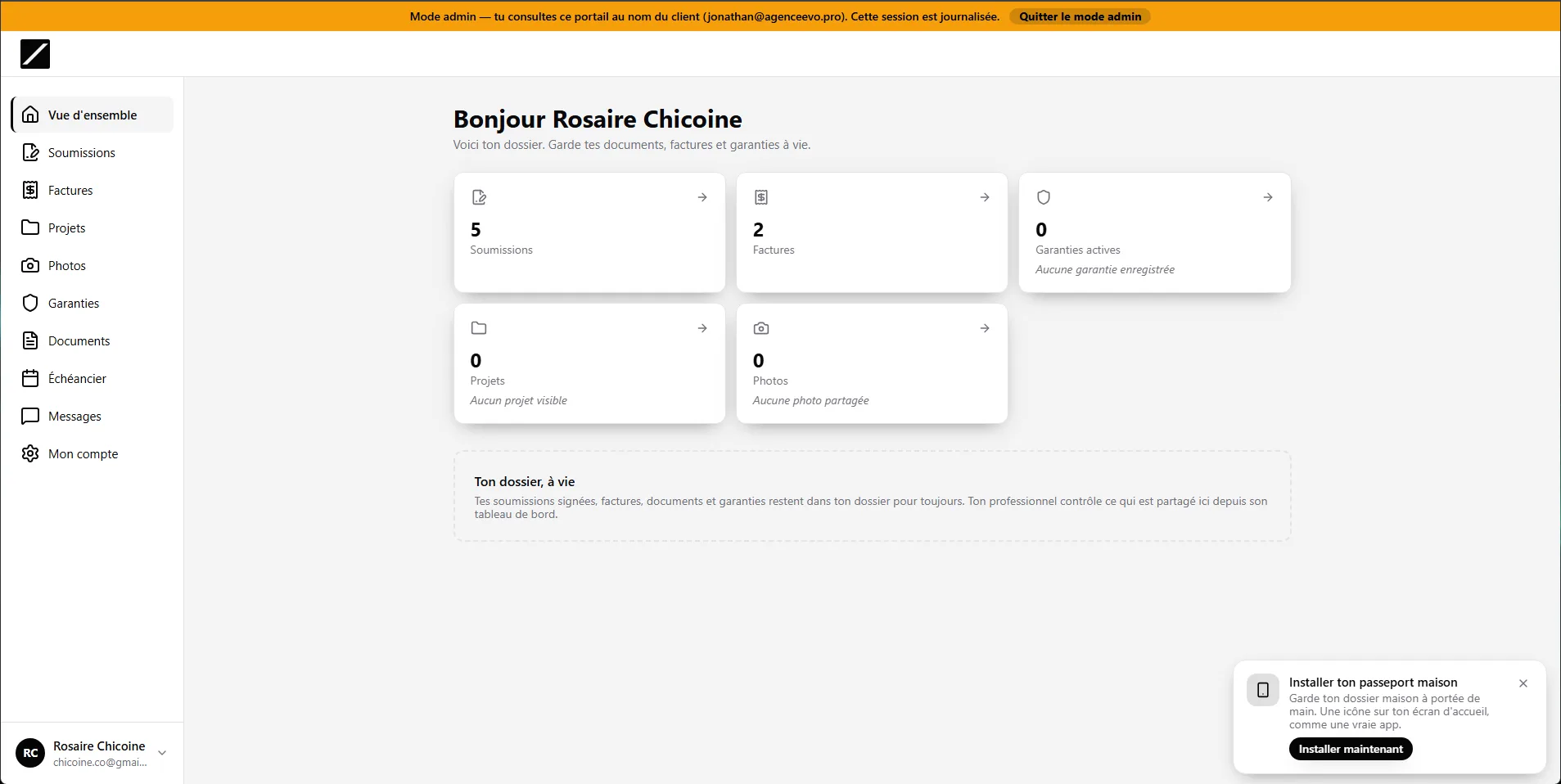
"View as client" mode — read-only
Audited 15-min session
Mutations blocked
Persistent banner
FIG 0.8 · VIEW AS CLIENT

Debug what your client sees, with no risk.

"View as client" opens a 15-minute session, audited and read-only: a banner stays on screen, and any edit attempt is blocked. You see their portal exactly, compliant with Loi 25.

FIG 0.9 · THE DETAILS THAT MATTER

The kind of thing you only notice when it's missing elsewhere.

Co-signer spouse scope
The co-buyer spouse sees the shared file — co-signed invoices, projects and documents of the primary. Not a half-empty portal.
Magic-link sign-in
A 30-min email link replaces the forgotten password. The email inbox becomes the front door.
"Internal" photos respected
Only photos marked visible to the client show up on the portal side. The rest stays internal.
Always-fresh document links
A fresh signed URL on every view — no more dead document link after an hour.
The right vocabulary per trade
Dentist, restaurant, coach, broker, builder: same engine, vocabulary driven by your niche.
Fail-closed sections by default
A custom object is only exposable with its scope field set. Without it, the portal shows nothing — never the reverse.
FIG 1.0 · FREQUENTLY ASKED QUESTIONS

Everything about the portal.

Yes — a no-code builder (/settings/portal) drives the audience, the branding and the sections shown, with a live preview as you make changes.

Yes. You pick a custom object and the relation field that scopes each record to the right person — the portal renders a dedicated section, without a line of code.

Yes, Stripe payment right in-portal. Cancelled or draft invoices aren't payable.

The client exports their data (portability, art. 27) and requests its deletion (right to be forgotten, art. 30.1) themselves. The admin "View as client" is read-only and audited.

Yes — colour, logo and business name are resolved by your verified domain. A "client space" link ready to paste on your site, and "Powered by" disappears on Business+ plans.

Not required. A magic sign-in link (30 min) makes their email inbox the front door — handy for a portal visited 2-3 times a year.
Essai gratuit 14 joursAppeler Clodyne

Ready to see toncrm.io for real? We show it to you set up for your trade.

Book a 15-minute demo — or start your free trial right away.

Free 14-day trial

No credit card · Setup done for you · French-language support

Features