Tell it who goes where — it schedules, and it catches the conflict.
Instead of moving everyone by hand, you can just tell Oracle: “assign Pierre to the Pro-Habitat site Thursday and Friday.” Oracle creates the assignment, moves it, or removes it — and best of all, it warns you right away if Pierre is already overloaded that day. You don't have to check yourself whether it fits: it knows and it tells you.
You stay in control — Oracle suggests and does what you ask — but you save yourself the headache of juggling who's available when. For a boss planning between two calls, it's like having a dispatcher who knows everyone's availability by heart.
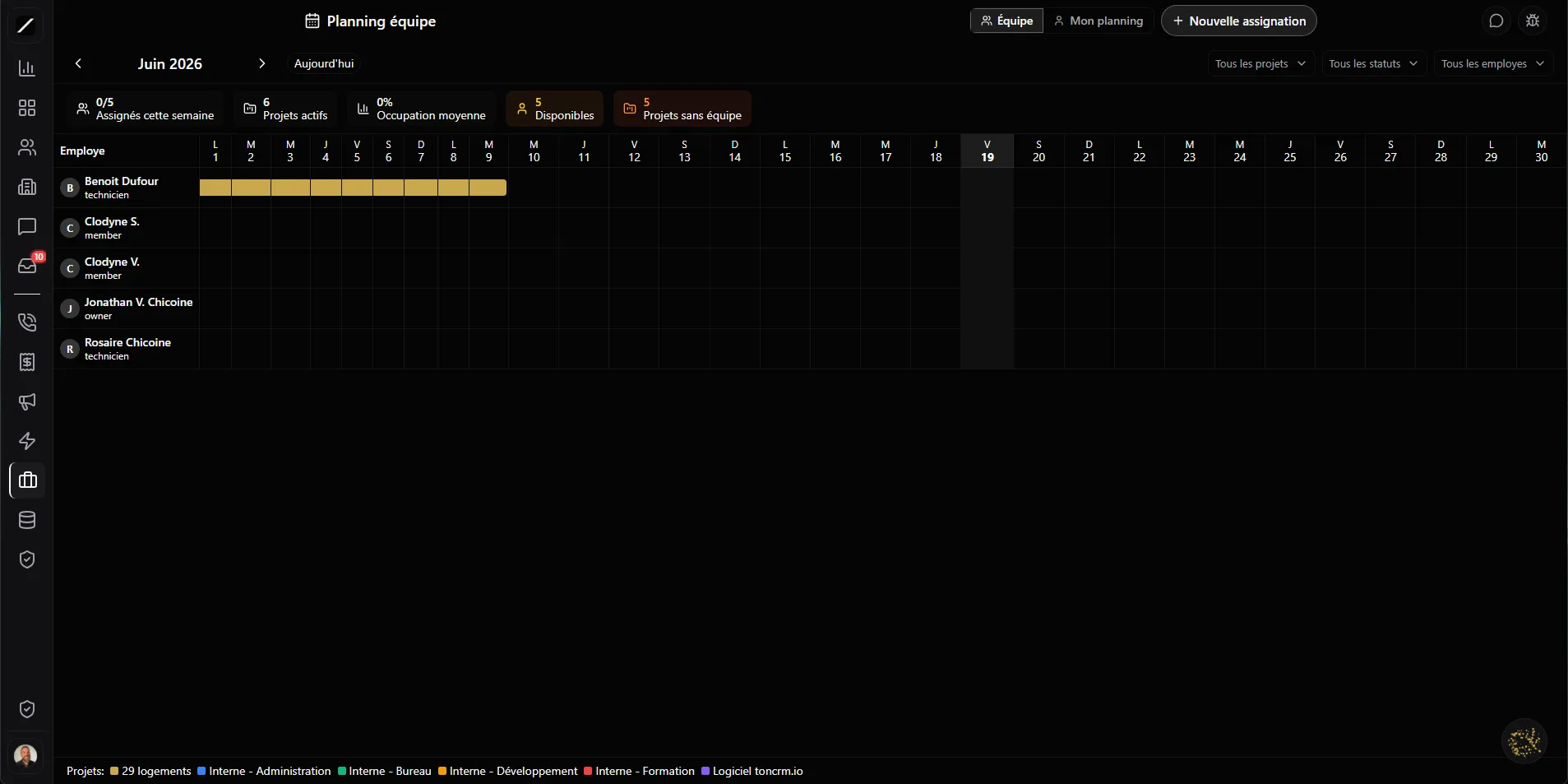
A monthly Gantt you drag.
You can do it all by hand, on a clear monthly Gantt: each team member on one row, their assignments as bars colored by project across the days of the month. You drag a bar to reschedule it, and it moves right away. You click an empty cell to create an assignment already pre-filled with the right person and the right date.
And it's precise: you set hours per day and a role on each project — not just “full time,” but “4 hours, as an assistant.” Your planning reflects the real reality of your site, not an all-or-nothing grid.
Nobody overloaded without you knowing.
A poorly balanced schedule means burned-out people on one side and dead time on the other. toncrm shows you a capacity view: who's busy and how much — assigned hours versus available hours — with the overloaded ones up top. You see at a glance who's swamped and who has room.
And if someone ends up over twelve hours in a single day, toncrm flags it in red and suggests how to fix it. You catch the overload — and fix it — before it burns someone out.
Dependencies and a critical path — like MS Project.
toncrm handles the kind of project logic that usually lives in expensive tools like MS Project or Primavera. You can define dependencies between your phases — a phase can't start until another is finished, with four ways to link them — and toncrm identifies your critical path: the sequence of phases that determines your true end date.
You know which phases have slack and which ones, if they slip, drag the whole project with them. The scheduling intelligence of a pro tool, inside your CRM, at a fraction of the price — without learning a thousand-dollar piece of software.
Plan vs reality — on your real hours.
This is where toncrm stands apart from a Monday or an Asana. Because time punching is native in the same product, toncrm compares what you had planned to what your team actually punched. The variance is real, not an estimate: you see which projects went over and which came in under, sorted by gap.
Classic tools make you plan in a vacuum, never closing the loop. toncrm shows you the truth: you plan, then you see if you were right — gold for fine-tuning your next estimates.
Burndown and portfolio — your team at a glance.
To track where things stand, you've got a burndown per project: your remaining planned hours versus what's really been burned, to see if you'll finish on time or blow past. And a portfolio view gives you a twelve-week heat map across all your projects.
Instead of just looking at today, you get the whole picture: the weeks coming in heavy, the projects eating up your people, the gaps where you could fit a new contract. The kind of perspective that helps you say yes or no to a job before committing.
Everyone sees their own timeline.
Not everyone needs to see the big team Gantt. toncrm has three views: the team Gantt for admins, a personal timeline for each employee (they only see their own assignments), and the capacity stats. And on the phone, you get a real weekly list grouped by member — not a shrunken Gantt.
Team planning, in short.
Everything about planning.
Let Oracle plan your team.
14 days free, no card. Or book a demo and we'll build your planning with you.
We'll build your planning with you in the demo.
