Describe what you want. Read the picture.
This is the part that makes you smile. Instead of dragging fields in one by one, you describe what you want — « an application form for a carpenter position » — and AI generates the title, the right fields and the messages in a few seconds. You get a complete starting point from one sentence, then you fine-tune it.
And it stays useful afterward. It translates the labels into another language in one click — a bilingual form without retyping it. And when the responses come in, it gives you insights: a summary of what stands out, the recurring themes and the actions to take. You don't read 200 submissions by hand, you read the picture.
On top of that, when a prospect fills out your form, toncrm can enrich their record on its own — pulling information about their company from their email. AI takes the building, the translation, the sorting and the research off your plate: everything that made forms a chore disappears.
A real builder — 25 field types.
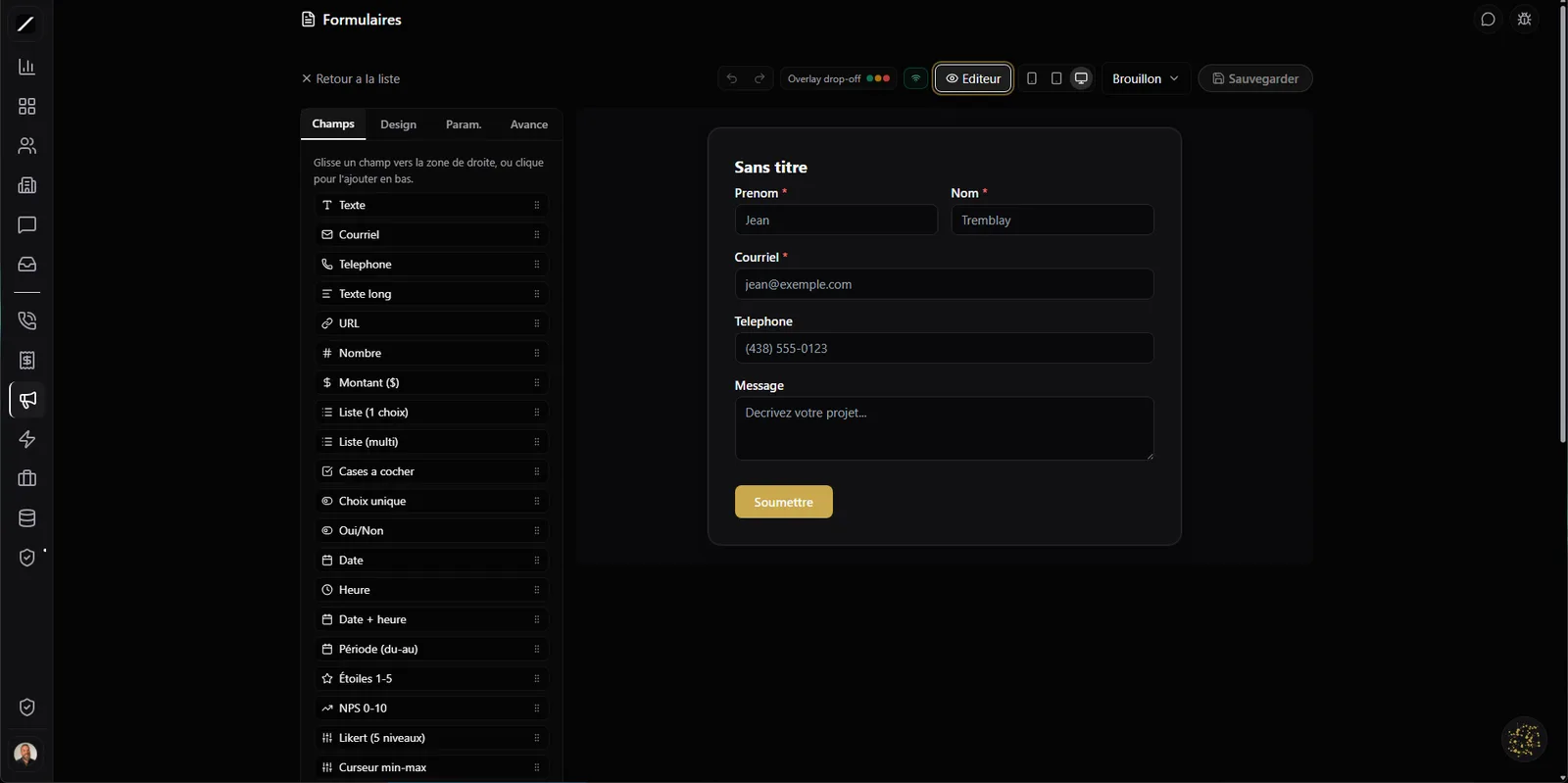
Underneath the AI, there's a serious builder. More than 25 field types: signature, stars, opinion scale, address, currency amount, slider, choice grid, image picker, sections and headings — not just flat text boxes. You pick from three layouts, including a conversational mode that asks one question per screen, for forms that get filled without discouraging anyone.
Your brand, and fields that calculate.
On the look side, you push your branding far: custom font, background video, custom styles, and even confetti on submit. All of it stays accessible (high-contrast mode, targets ≥ 44 px). And there's a calculation engine for fields that add up on their own — an estimator where the client checks options and watches the amount climb live — with smart validations (checking that an email really exists, that a value is unique, that a field is filled in properly).
In practice, you build a short contact form in two minutes just as easily as a long quote form with calculated amounts, a signature at the bottom and a choice grid — in the same tool, without touching a line of code.
Collect payment in the form.
A form that collects is good. A form that gets paid is better. You can require a Stripe payment before submitting — a deposit, a down payment, a registration fee — under your brand, right inside the form.
And once submitted, it chains on its own: confirmation email to the respondent, notification to your team, calendar invite and a PDF receipt generated on its own. For a workshop signup, a booking or a project deposit, it replaces a whole pile of duct tape — the client signs up, pays and gets their receipt, while your team gets notified. Everything is tied together.
You leave Typeform in one click.
Switching tools is scary when you've already built your forms elsewhere. toncrm imports an existing Typeform from its URL or its file, in one click — you don't start from scratch.
And your submissions go wherever you want: sync to Mailchimp, Google Sheets, Airtable, Zapier or Make, plus a query API to wire in your own automations. The form doesn't become a silo: it feeds your lists, your spreadsheets and your existing tools, automatically, as people respond.
Two people, one form, zero overwrites.
When two people work on the same form, it often ends with someone overwriting the other's work. toncrm handles it like the modern tools do: real-time collaborative editing, with a lock (« force control » when needed) and presence avatars that show you who's editing.
And a test marker keeps your trial submissions out of your statistics — your numbers stay clean.
Your visitors exercise their rights — without you.
Law 25 isn't just a checkbox at toncrm, it's operational. There's a compliant cookie consent banner, and above all, your visitors can exercise their rights themselves: download their own data (right of access) or request its erasure (anonymization, with an audit trail) — without emailing you, without opening a ticket. And the data purges automatically after 90 days.
For a solo or a small team, it's huge: compliance runs on its own instead of landing on you every time a visitor makes a request. It's not a promise on a legal page, it's wired in.
Built to be shared everywhere.
No matter how your site is built, your form fits. toncrm offers five ways to embed it — you pick based on your technical setup, instead of being forced into a single method that half-works on your platform.
Protected against spam and viruses.
A public form is an open door to bots and sketchy files. toncrm armors it. A 10-layer anti-spam shield (bot trap, captcha, disposable-email blocking, geo, too-fast-fill detection…) filters out junk submissions. Every uploaded file goes through an antivirus before being stored. And conditional logic (12 operators) shows or hides fields based on the answers.
For recruiting, an important distinction: your candidate pipeline is kept separate from your leads — distinct lists, tags and automations, and no outbound call triggered. A candidate isn't a prospect, and toncrm treats them accordingly. Your data stays clean and so do your inboxes.
The lead rates itself, from A to F.
You can build a scored qualification form: based on their answers, the lead earns points and ranks itself (from A to F), so you know who to call back first. That's the honest version of the « quiz » on the sales side — for real quizzes with right answers, that's in the training feature.
And an identity resolver avoids duplicates, a respondent who becomes a lead earns score points, and Oracle can create, list, translate a form or analyze its responses on request. And during a call, Clodyne can send your form's URL to the prospect directly.
And all the details that help.
The form builder, in brief.
Everything about forms.
Describe your first form.
14 days free, no card. Or book a demo and we import your forms with you.
We import your forms with you during the demo.
