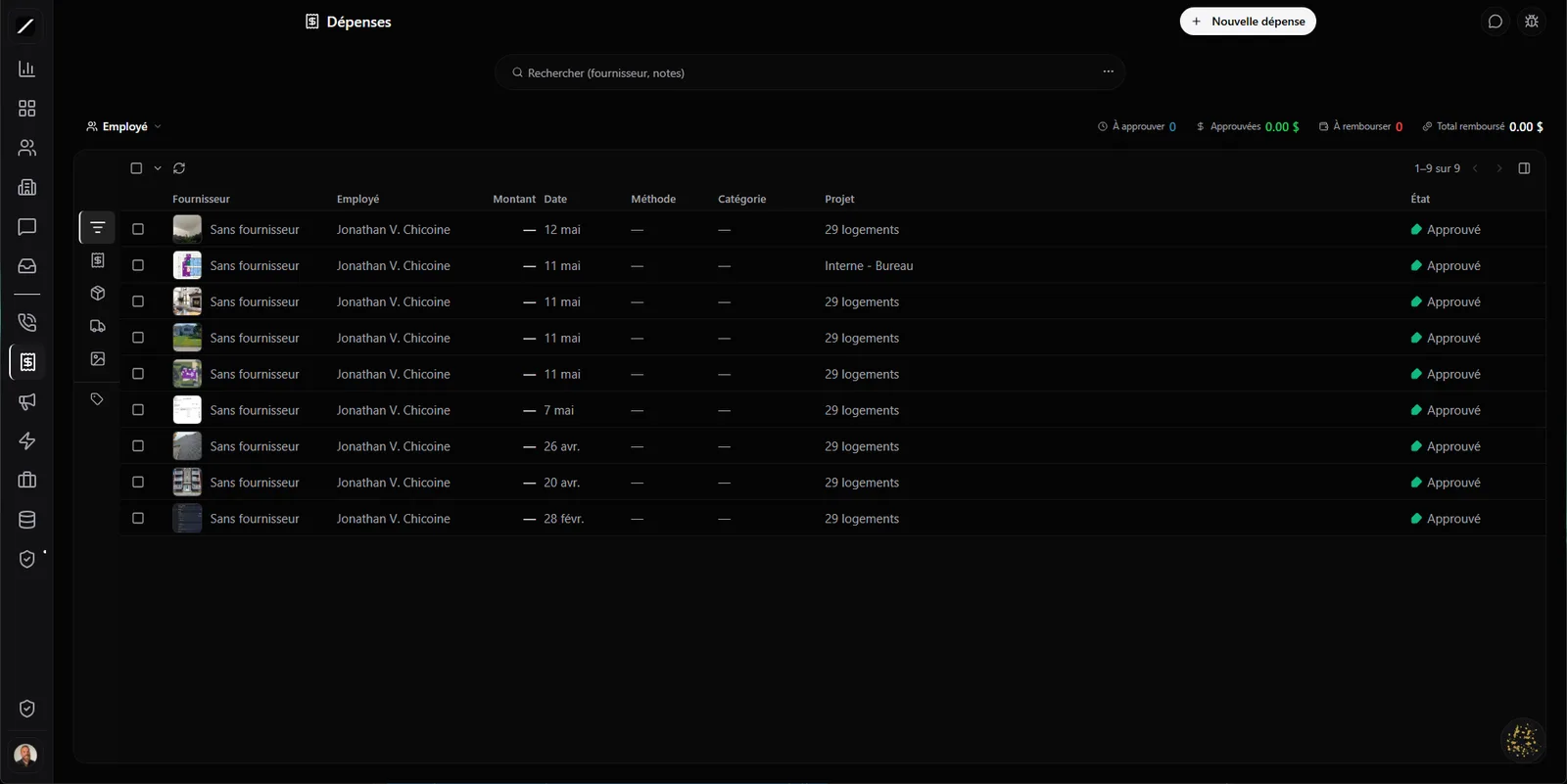
Any receipt reads itself — even a PDF.
You snap a photo of your Home Depot receipt with your phone, and the AI reads it on its own : vendor, amount, GST, QST, category and date, and it fills in the entry for you. All you do is approve. The time it would’ve taken you to type it in is now two seconds to check.
And it works on PDFs too: a vendor invoice you got by email, a PDF receipt — you drop it in, and it reads in the background, no matter where you added it from. Every receipt reads, photo or PDF. (And your past history is never scanned without your say-so — no surprise on your bill.)
In practice: no more shoebox full of crumpled receipts to sort out at month’s end. You capture as you go, right at the checkout counter. The AI suggests, but it’s you who approves every entry before it counts — you keep control, you just save the data entry.
Your taxes, on the right lines.
The AI doesn’t just spit out a fuzzy « tax amount ». It splits your GST (5%), your QST (9.975%) and the HST on separate columns, with the subtotal — exactly how your accounting needs it. No English-language CRM for small business does that split.
And your expenses sort into 8 categories built for Quebec construction — not a generic American list that doesn’t fit your job-site reality.
An expense that becomes an invoice.
An expense made for a client is money to get back. toncrm lets you mark an expense rebillable, then turn it into a client invoice right from the project — in batches, several at once. The system keeps track of what’s already been billed, so you never rebill the same expense twice.
The « Maison 123 St-Paul » job site: six material receipts and one rental piled up over the month. You mark them rebillable, and in a single move you generate the client invoice — the seven expenses on it, taxes included. No manual math, no receipt forgotten in the back of the truck.
From the employee to the reimbursement, tracked for payroll.
When an employee submits an expense, it follows a real approval flow : the manager approves or rejects, without an endless email chain. And reimbursements are tracked with a payroll reference, grouped by employee on a dedicated page.
Your reconciliation with payroll is clean — you know who fronted what, who got reimbursed, and with which reference. No more sticky notes and « did I ever get paid for that? ».
Built for the job site.
The field isn’t the office. Everything you front on the road is captured while you’re there, not reconstructed from memory on Sunday night in front of a blank sheet.
Ask Oracle to manage your expenses.
Oracle pitches in here too. You can ask it to submit an expense, to approve one (with a check on your role), to list the pending expenses, or to mark one as reimbursed with its payroll reference. Instead of clicking through ten screens, you talk to it and it executes.
And the details that matter.
Expenses, in facts.
- Receipt read by the AI: vendor, amount, GST, QST, category, date — photo or PDF
- GST (5%) + QST (9.975%) + HST on separate columns
- 8 categories built for Quebec construction
- Rebillable expense → client invoice from the project, in batches, anti-double-billing
- Employee → manager approval flow + reimbursement tracked for payroll
- Job-site-ready: camera, geoloc, offline, GPS mileage, per diem
- 4 Oracle tools · QuickBooks/Sage export · recurring · multi-currency
Everything about expenses.
Stop typing out your receipts.
14 days free, no card. Or book a demo, we scan your first receipt with you.
We scan your first receipt with you in a 45-sec demo.
