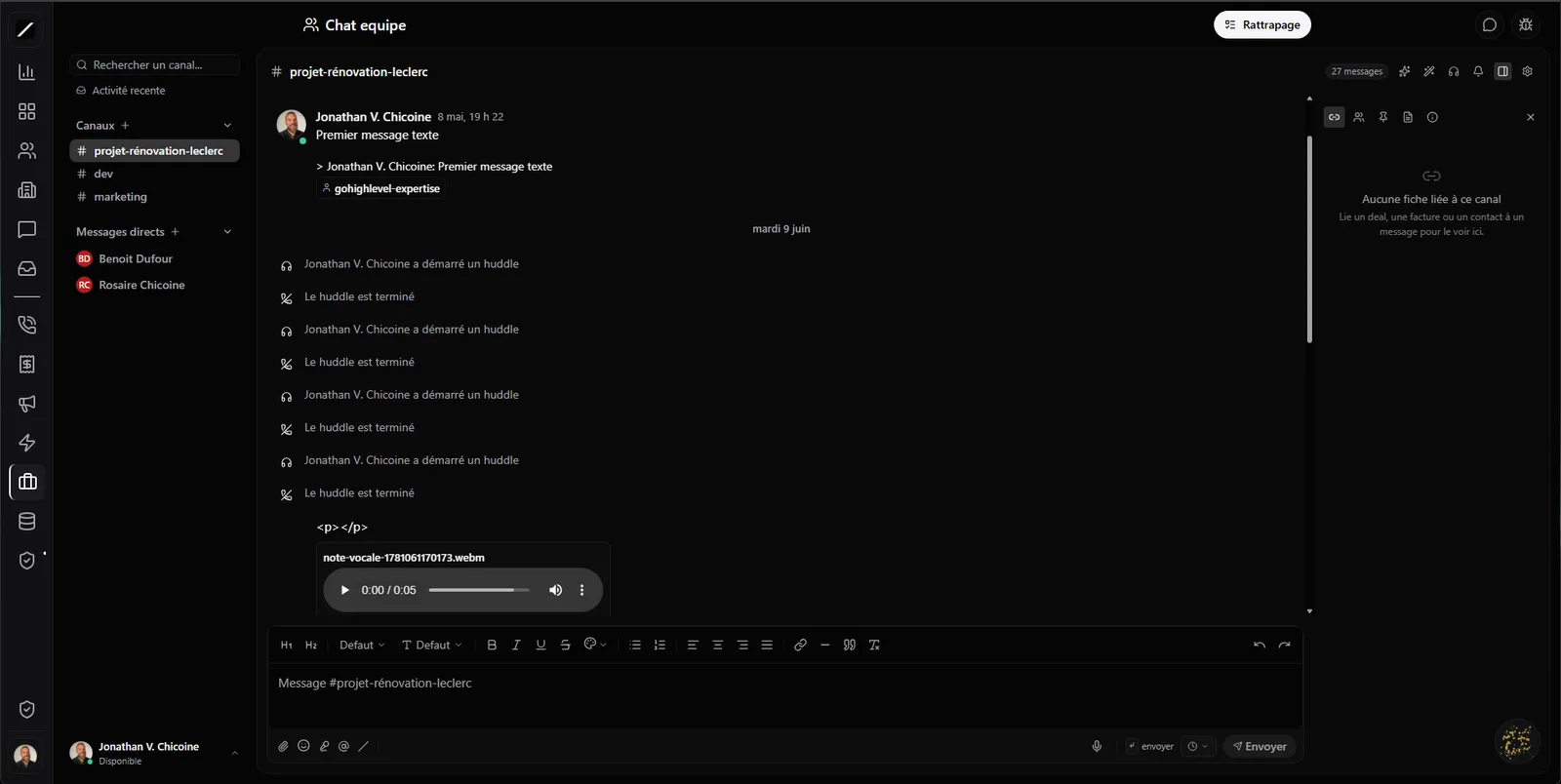
Slack, but your CRM is inside.
You could run your team on Slack or Teams — but then your CRM lives elsewhere, and you glue the two together with Zapier and duct tape. toncrm's team chat is a complete internal chat — with public and private channels, direct messages one-on-one or group, discussion threads — with your CRM built right in.
Think about how many times a day your team jumps from chat to CRM and back: to check a mentioned file, to find an invoice, to log a follow-up. Every round trip is time and focus lost. By putting both in the same tool, toncrm removes that friction — what gets discussed and what it's about are in the same place, for real. That's what changes everything versus a generic chat tool: it knows your business.
Mention a client, a deal, an invoice.
In toncrm, you don't just « @ » a coworker. You can mention a contact, a deal, a project, a company or an invoice — and it drops a clickable CRM card right in the conversation. Everyone clicks to go see the file, without hunting for it.
It's something Slack and Teams don't do natively: for them, a mention is just a person or a channel. In toncrm, every mention becomes a shortcut to the record. No more « which one is the Tremblay file again? » — you point at it, and it's there. A new employee can follow a thread and understand what's being discussed, because everything is clickable, not hidden in another system.
Your won deals post themselves.
When a deal moves to « won », an invoice gets paid, or an appointment is booked, a message posts itself in the channels you subscribed — with a clickable card. Your #sales channel celebrates every sale automatically; your team sees what's happening without anyone copy-pasting anything.
And the important part: it happens without Zapier, without an external webhook, without tinkering. It's wired from the inside, because the chat and the CRM are the same product. With Slack or Teams, you'd need a third-party integration and one more paid account. Here, you check the channel and it works.
Turn a message into a task or a deal.
Someone writes « we should follow up on the Tremblay project » in a channel — right-click, and it becomes a task or a deal, linked to the original conversation. Good ideas stop dying in the chat: they turn into concrete action, with a two-way link.
Instead of rereading three days of messages to find what someone suggested, you convert it on the spot into something your CRM will track. What gets said in the chat ends up in your tasks and your pipeline, instead of disappearing.
An AI that recaps, catches you up, and replies.
You come back after two days off and ask « what did I miss? » — the AI catches you up across all your channels, prioritizing the messages where you were mentioned. For a swamped boss, instead of spending your first hour of the morning digging through channels, you ask for the recap and you know in thirty seconds what needs your attention. The AI sorts it out, you decide — and it all stays in the chat.
Call your team without leaving the channel.
Need to talk it out loud? You start a video or audio call right from a channel — one click, and your team joins, with a live indicator showing who's already there. No link to send, no meeting to schedule, no other app to open. And a team walks away with the summary of what was said — nobody plays secretary, and nobody asks « what did we decide again? » two days later.
Attachments, voice notes, polls — everything you expect.
You drag a file, snap a photo with your phone, drop a voice note that transcribes itself (and stays playable even if the transcription drops a word). You run a poll, pin a message, bookmark one, schedule a send. And the rest is here too: threads, drafts that follow you from one device to another, presence (with a custom status 🌴), the typing indicator, « seen by » receipts, and a search with filters.
Notifications that respect your attention.
A chat that throws you a notification for every message quickly becomes noise you end up ignoring. toncrm handles it with care: a direct mention pings you (and pierces even a muted channel when it really matters), but a busy channel just updates a badge.
And you control your unread summary: never, when you're back, or every morning. Your mute settings are truly respected, not bypassed at the first opportunity. You see what's urgent, the rest waits quietly.
Compliant with Law 25.
A team's conversations contain data, and that comes with obligations. toncrm gives you retention policies you control — archive or purge, on the schedule you choose — with a dedicated audit log, export of your data and the right to erasure.
Team chat, in brief.
Everything about team chat.
Put your team and your CRM in the same place.
14 days free, no card. Or book a demo and we'll show you team chat in action.
We'll show you team chat in action in a few minutes.
