Aller au contenu principal
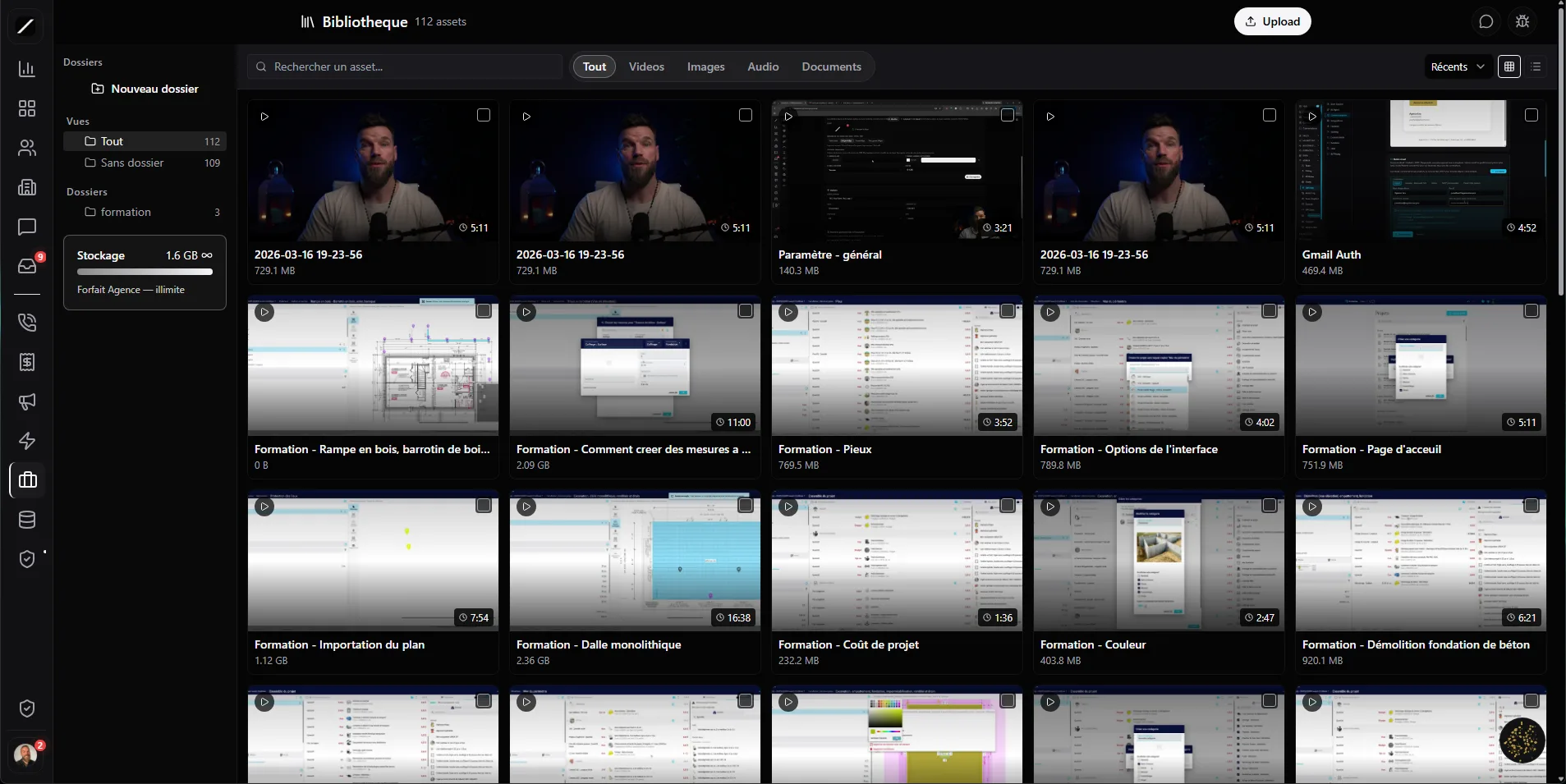
FIG 0.0 · LIBRARY

Upload once. Useeverywhere.

Your media library, wired into your whole CRM. Videos, images, audio, documents — one single place, reused across your emails, your workflows, your posts and your training. And your photos lose their GPS all on their own.

Free 14-day trial

No credit card required.

toncrm.io file and template library
FIG 0.1 · CLEAN UPLOAD

You drop a photo. It arrives clean.

The image is re-encoded in your browser before it leaves: GPS, device serial number and timestamps disappear. Then its SHA256 fingerprint is computed — if the file already exists, we don't re-upload it.

FIG 0.2 · LAW 25 MINIMIZATION

Your photos lose their GPS, without you thinking about it.

Every jobsite or client-site photo carries GPS coordinates and your iPhone's serial number. Here, they're stripped by default, at upload time. That's Law 25 data minimization, without configuring anything. You can keep the EXIF case by case (photographer, copyright).

vs the others: no Quebec SMB CRM strips EXIF by default at upload time. Here it's on from the start.
IMG_4821.jpg
GPS coordinates stripped
Device serial number stripped
Capture timestamp stripped
EXIF metadata stripped · Law 25 + PIPEDA compliant
Jobsite demo.mp4
Video · HD
Before-after.webp
Image · 2.1 MB
Voice message.m4a
Audio · 0:42
Quote.pdf
Document · 3 pp.
FIG 0.3 · FOUR TYPES

Video, image, audio, document — each handled as it should be.

Video streams in HD (not a laggy Drive link), the rest gets its thumbnail. Text search, filter by type, sort by recent / name / size. It's a real asset manager, not a shared folder.

FIG 0.4 · SHA256 DEDUP

Never the same file twice.

Before even transferring a single byte, your browser computes the file's fingerprint and asks if it already exists. The server double-checks. The same PDF uploaded 3 times = only 1 stored — savings on bandwidth and storage.

vs the others: most libraries dedupe (at best) after upload, on the server side. Here, it's upstream, client-side, before transferring.
sha256 · 9f2a…c1e7
Quote-final.pdf stored
Quote-final.pdf already there
1 file stored · 2 uploads avoided
FIG 0.5 · ONE LIBRARY, EVERYWHERE

The same media picker, across all your surfaces.

You upload once. The same picker reads the same library across 6 surfaces — zero re-upload, zero file lost on a workstation.

Communication templates
Drop an image or a video into your email — permanent embed, no heavy attachment.
Workflow email steps
Attach a media to an automated step. It lives in the same library.
Social posts
Pick a visual for FB, IG, X, LinkedIn, YouTube, TikTok from the same picker.
Training courses
Lesson videos and sales-page visuals, wired into your library.
FIG 0.6 · RESILIENT THUMBNAILS

Your thumbnails never break — even when the CDN goes down.

We keep a copy of every thumbnail on our own storage. If the external config drops, we serve from the cache, and as a last resort a clean fallback visual. Your grid stays readable, period.

Local cache
Live CDN
Fallback visual

3 fallback layers — the grid never shows a broken media.

FIG 0.7 · THE DETAILS THAT MATTER

The kind of stuff you only notice when it's missing elsewhere.

Revocable share links
Every /m/… link counts opens, can expire and is revoked in one click. A killed link returns an error.
Password + expiry per asset
Fine-grained access control: protect a media with a password or make it private, per file as per link.
Nested folders that stick
Persisted hierarchy, rename / move / drop assets. An empty folder no longer disappears.
Transparent quota, alerts at 50/80/100%
Live quota bar + emails before any overage billing. Zero surprise.
Law 25 audit on upload / deletion / sharing
Every sensitive action is logged. The traceability for your PIA.
Bulk move / delete / tag
Multi-select, action bar, move between folders by modal or by drag-and-drop.
Find my videos tagged « before-after »
Oracle
3 videos found in the Jobsites folder · tag « before-after ». The most recent: « Bouchard kitchen demo ».
What's my storage usage?
Oracle
You're at 62% of your plan. Top consumers: training videos. You'll be notified by email at 80%.
FIG 0.8 · ORACLE

Ask Oracle where your media are.

Oracle searches your assets by tag, folder or type, and pulls your usage — without leaving the chat. It's read-only: Oracle finds and informs, but upload, deletion and sharing stay in your hands.

FIG 0.9 · UPLOAD = TRIGGER

A new media can launch an automation.

When a media becomes ready, a media_uploaded event fires — your workflows can react: notify the team, archive, chain a step. The library talks to the rest of the CRM.

Media ready
trigger media_uploaded
Workflow triggered
your rule runs
Team notified
or step chained
FIG 1.0 · FAQ

Everything about the library.

Yes — the image is re-encoded in the browser BEFORE upload, which removes the GPS, the device serial number and the timestamps. On by default (Law 25), with an option to keep the EXIF case by case.

Nothing gets re-uploaded. The file is hashed in SHA256 client-side before the transfer, and re-checked server-side — if it already exists, the existing asset is returned. You're not billed twice.

The same media picker is reused across 6 surfaces: communication templates, workflow email steps, social posts and three training surfaces.

Video, image, audio and document — each with its own tailored handling (HD streaming for video, thumbnail for the rest).

A quota bar shows your usage in real time, and email alerts go out at 50%, 80% and 100% before any overage billing.
L'entrepreneur d'aujourd'hui
FIG 1.1 · GET STARTED

Drop your first media.

14 days free, no card. A clean library, wired into your whole CRM, from the very first upload.

Free 14-day trial

We'll show you the library wired into your trade in a 45-sec demo.

Essai gratuit 14 joursAppeler Clodyne

Ready to see toncrm.io for real? We show it to you set up for your trade.

Book a 15-minute demo — or start your free trial right away.

Free 14-day trial

No credit card · Setup done for you · French-language support

Features